Divider
A SwiftUI Divider component for creating visual separators.
Expo UI Divider matches the official SwiftUI Divider API and creates a visual separator between content.
Usage
Basic divider
import { Host, Divider, VStack, Text } from '@expo/ui/swift-ui';

export default function BasicDividerExample() {
  // A divider spans the width it is given, so `matchContents` collapses it.
  return (
    <Host style={{ flex: 1 }}>
      <VStack>
        <Text>First section</Text>
        <Divider />
        <Text>Second section</Text>
      </VStack>
    </Host>
  );
}

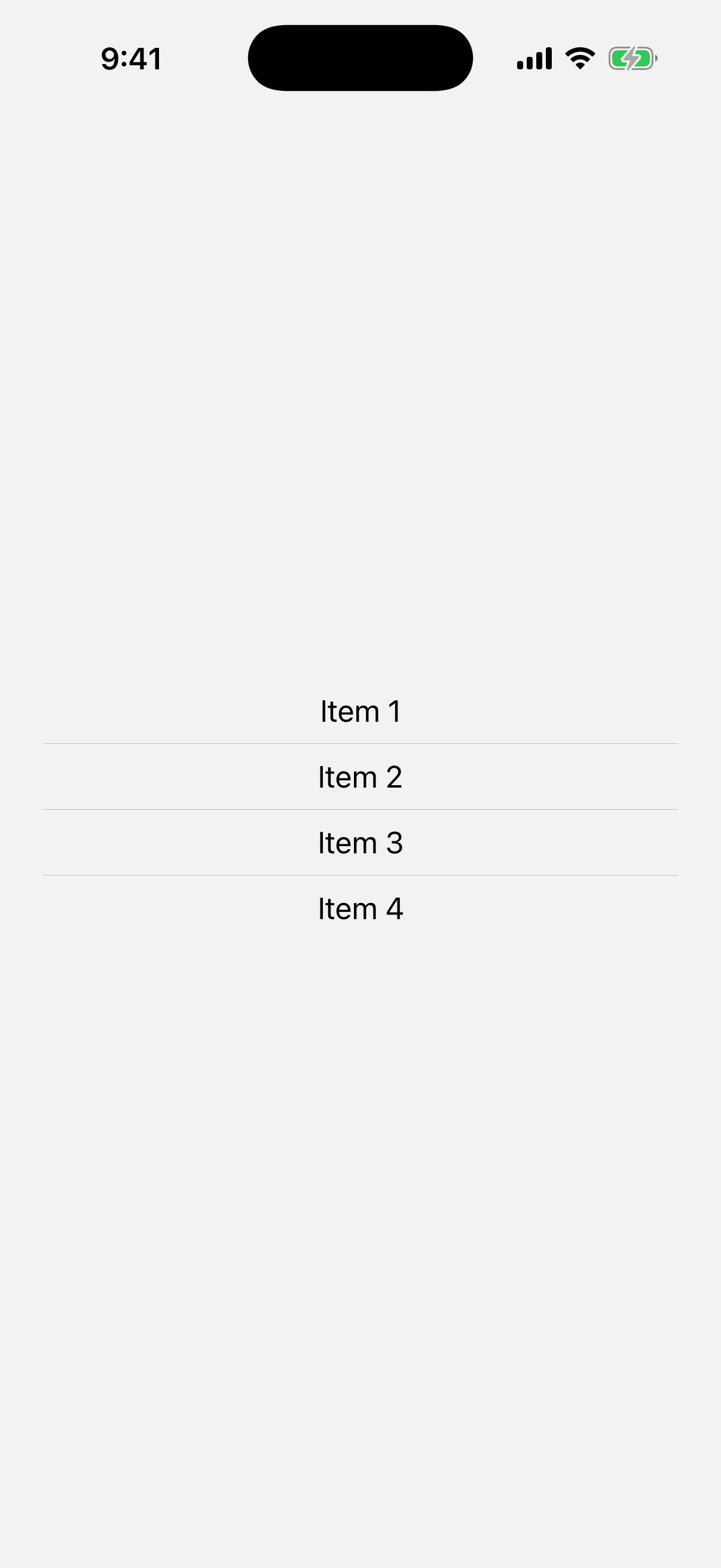
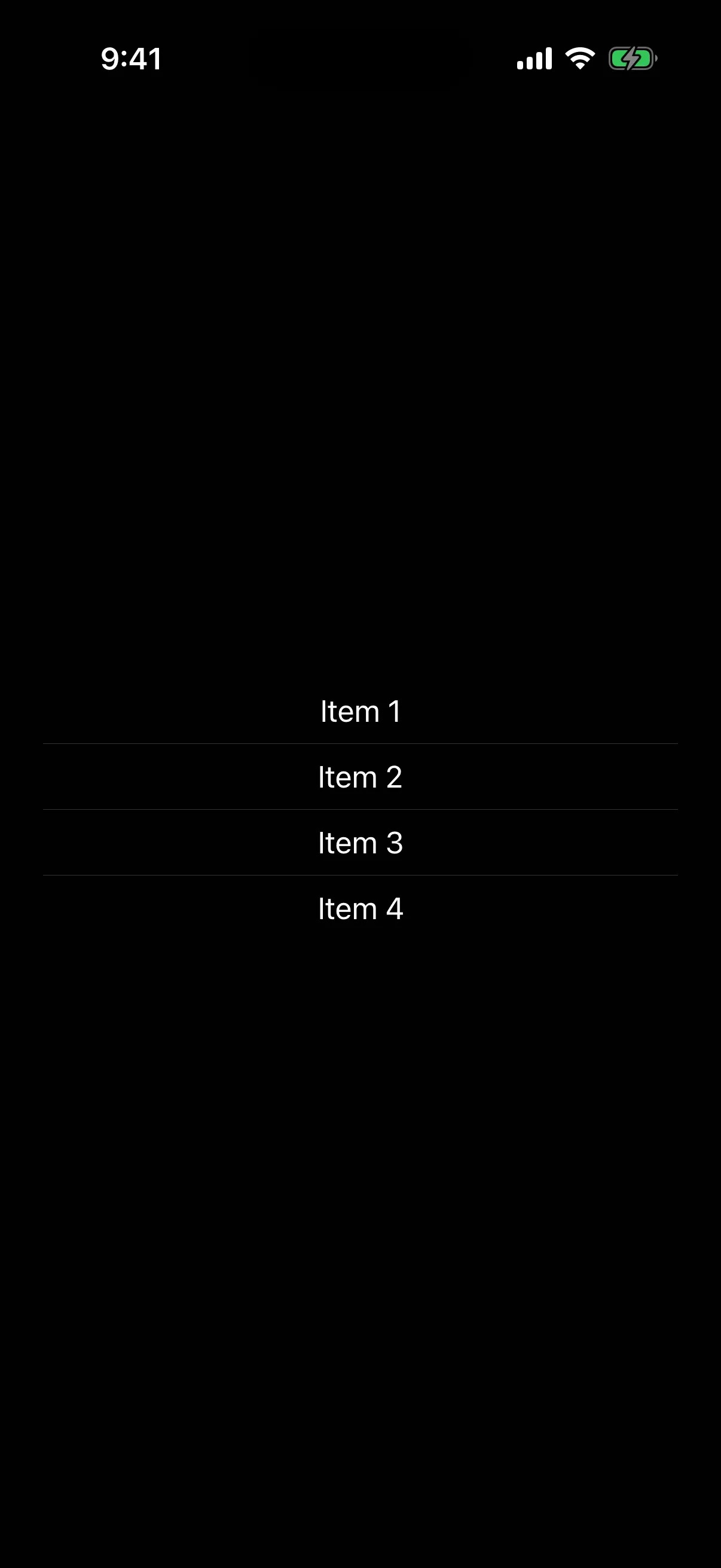
Divider in a list
import { Host, Divider, VStack, Text } from '@expo/ui/swift-ui';

export default function DividerInListExample() {
  return (
    <Host style={{ flex: 1 }}>
      <VStack spacing={8}>
        <Text>Item 1</Text>
        <Divider />
        <Text>Item 2</Text>
        <Divider />
        <Text>Item 3</Text>
        <Divider />
        <Text>Item 4</Text>
      </VStack>
    </Host>
  );
}
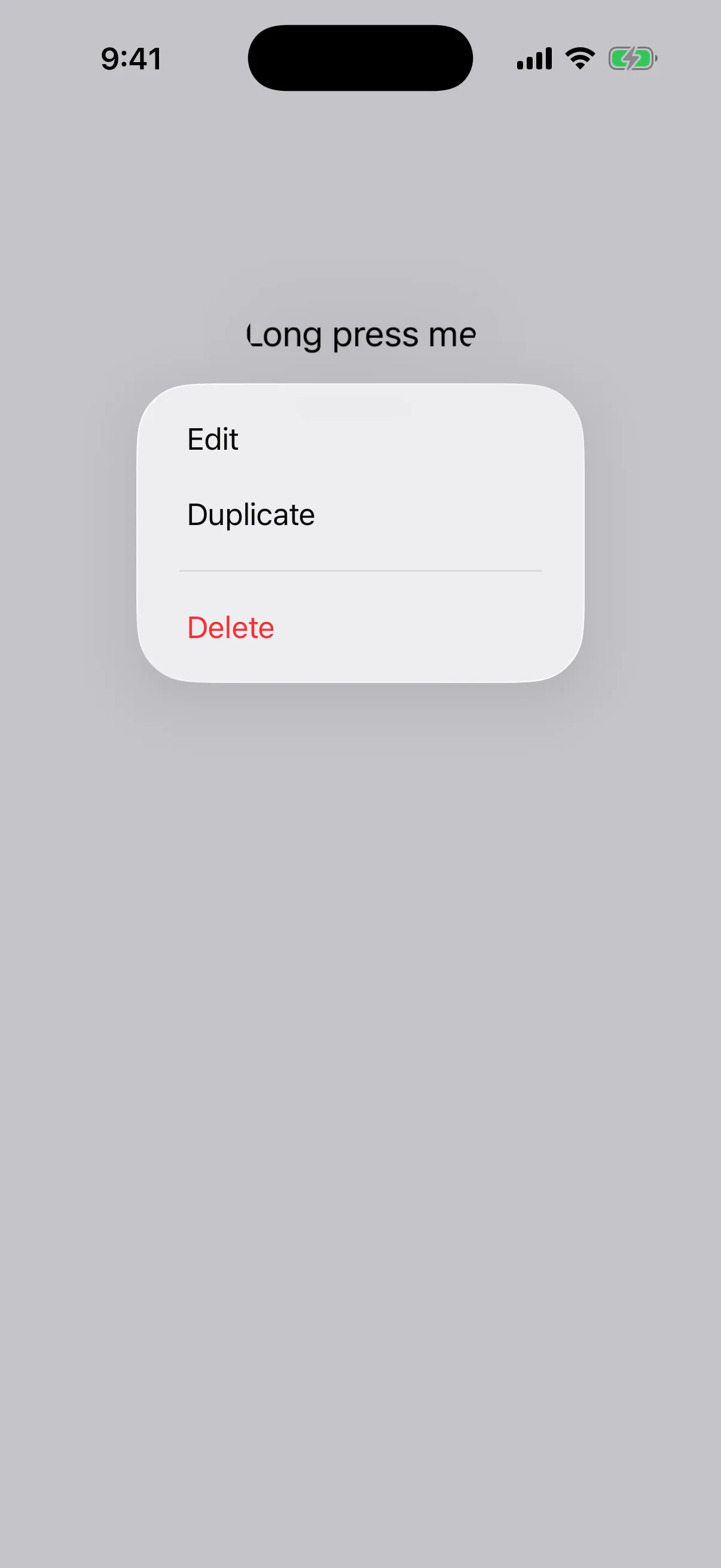
Divider in a context menu
Dividers are commonly used to separate groups of actions in context menus.
import {
  Host,
  ContextMenu,
  Button,
  Text,
  Divider,
} from '@expo/ui/swift-ui';

export default function DividerInContextMenuExample() {
  return (
    <Host style={{ flex: 1 }}>
      <ContextMenu>
        <ContextMenu.Items>
          <Button
            label="Edit"
            onPress={() => console.log('Edit')}
          />
          <Button
            label="Duplicate"
            onPress={() => console.log('Duplicate')}
          />
          <Divider />
          <Button
            label="Delete"
            role="destructive"
            onPress={() => console.log('Delete')}
          />
        </ContextMenu.Items>
        <ContextMenu.Trigger>
          <Text>Long press me</Text>
        </ContextMenu.Trigger>
      </ContextMenu>
    </Host>
  );
}

API
import { Divider } from '@expo/ui/swift-ui';Component
Divider
Type: React.Element<DividerProps>
Divider component uses the native Divider component. A visual element that can be used to separate other content.
DividerProps
Inherited props
Modifiers
Use these modifiers in the modifiers prop of the SwiftUI version.
Expo UI lets you put any of the 89 modifiers for any view on Divider, but not all of them do something here.
- 43 change what you see on Divider.
- 1 work, but not in the way that you may expect.
- 33 have no visible effect on Divider.
- 13 work only in one place, such as a widget or a
Grid.
Best modifiers for Divider
These modifiers are the ones that you use most with Divider.
Also works on Divider
Divider takes these modifiers too, and each one works in the usual way.
accessibilityAddTraitsaccessibilityHiddenaccessibilityHintaccessibilityIdentifieraccessibilityInputLabelsaccessibilityLabelaccessibilityRemoveTraitsaccessibilityValueanimationaspectRatiobackgroundbackgroundOverlayblurborderbrightnessclippedclipShapecolorInvertcontainerRelativeFrameiOS 17+contrastcornerRadiusenvironmentfixedSizeglassEffectgrayscalehueRotationidignoreSafeArealuminanceToAlphamaskoffsetredactedrotation3DEffectrotationEffectsaturationscaleEffectshadowstrokeBorder
Needs care on Divider
These modifiers work on Divider, but not in the way that you may expect.
| Modifier | What to know |
|---|---|
frame | Set the height for a horizontal divider, or the width for a vertical one. The other side fills the parent. |
No visible effect on Divider
Divider accepts these modifiers, but you see no change. They do not give an error.
| Modifier | Why nothing happens |
|---|---|
accessibilityElement | It joins the child views into one accessibility element, and Divider takes no child views. |
allowsTightening | It changes only text, and Divider shows no text. |
bold | It changes only text and SF Symbols, and Divider shows neither. |
containerShape | It sets the shape that the child views use for containerRelativeShape, and Divider takes no child views. |
contentShape | It changes the area that gets touches, and Divider gets no touches of its own. |
contentTransition iOS 16+ | It changes how text and SF Symbols animate when their content changes, and Divider shows neither. |
disabled | It turns off the controls in the view, and Divider has none. |
dynamicTypeSize | It changes only text and SF Symbols, and Divider shows neither. |
font | It changes only text and SF Symbols, and Divider shows neither. |
foregroundColor | Divider ignores this. Use overlay with a colour to change the colour of the line. |
foregroundStyle | Divider ignores this. Use overlay with a colour to change the colour of the line. |
geometryGroup iOS 17+ | It works on the child views that you give the component, and Divider takes none. |
imageScale | It changes only SF Symbols, and Divider shows none. |
italic | It changes only text, and Divider shows no text. |
kerning | It changes only text, and Divider shows no text. |
layoutPriority | It has an effect only when the view shares an axis with other views in a stack. |
lineHeight iOS 26+ | It changes only text, and Divider shows no text. |
lineLimit | It changes only text, and Divider shows no text. |
lineSpacing | It changes only text, and Divider shows no text. |
minimumScaleFactor | It changes only text, and Divider shows no text. |
monospacedDigit | It changes only text, and Divider shows no text. |
multilineTextAlignment | It changes only text, and Divider shows no text. |
onAppear | In SDK 57, Divider does not send modifier events to JavaScript, so the handler does not run. |
onDisappear | In SDK 57, Divider does not send modifier events to JavaScript, so the handler does not run. |
onGeometryChange | In SDK 57, Divider does not send modifier events to JavaScript, so the handler does not run. |
onLongPressGesture | In SDK 57, Divider does not send modifier events to JavaScript, so the handler does not run. |
onTapGesture | In SDK 57, Divider does not send modifier events to JavaScript, so the handler does not run. |
strikethrough | It changes only text, and Divider shows no text. |
textCase | It changes only text, and Divider shows no text. |
tint | Divider does not use the tint colour. |
truncationMode | It changes only text, and Divider shows no text. |
underline | It changes only text, and Divider shows no text. |
zIndex | It changes the order of views that cover each other in the same parent, and Divider does not stack its children. |
Only in some places
These modifiers work only in a widget, in a Grid, in a Namespace or in a parent that asks for them.
| Modifier | Where it works |
|---|---|
activityBackgroundTint | Works only in a Live Activity. It has no effect in the app. |
alignmentGuide | Has an effect only when the parent, such as a VStack or ZStack, aligns its children by the same guide. |
containerBackground | Works only in a widget, or in a navigation container when you use a navigation placement. |
glassEffectId | Works only on a view that also has glassEffect, in a GlassEffectContainer and a Namespace. |
gridCellAnchor iOS 16+ | Works only on a cell of a Grid. Grid is in @expo/ui/swift-ui, but it has no Expo docs page. |
gridCellColumns | Works only on a view in a Grid.Row. Grid is in @expo/ui/swift-ui, but it has no Expo docs page. |
gridCellUnsizedAxes | Works only on a view in a Grid. Grid is in @expo/ui/swift-ui, but it has no Expo docs page. |
gridColumnAlignment iOS 16+ | Works only on a view in a Grid.Row. Grid is in @expo/ui/swift-ui, but it has no Expo docs page. |
invalidatableContent iOS 17+ | Has an effect only when a parent view uses redacted with the invalidated reason. |
matchedGeometryEffect | Works only in a Namespace. Give two views the same id and change between them with an animation. |
privacySensitive | Has an effect only when a parent view uses redacted with the privacy reason. |
unredacted | Has an effect only in a parent view that uses redacted. |
widgetURL | Works only in a widget. It has no effect in the app. |
Sources
The original Expo docs for this page:
- Divider (SwiftUI) (
source-of-truth/versions/v57.0.0/sdk/ui/swift-ui/divider.md)